

📲 Setting Up Your Mobile Number
Signing up for a dedicated mobile number takes a little effort, but it’s a one-time setup that can really help your business grow. Once complete, you’ll be able to send review requests, appointment reminders, seasonal offers, and more to your clients.
To get your number, you’ll need to complete two bundles: the Address Bundle and the Regulatory Bundle. This requires uploading a proof of identity and a proof of address, which helps verify your business and ensures your messages are trusted and delivered reliably.
✔️ How to Complete the Bundles
Step 1: Accessing The Mobile Bundles
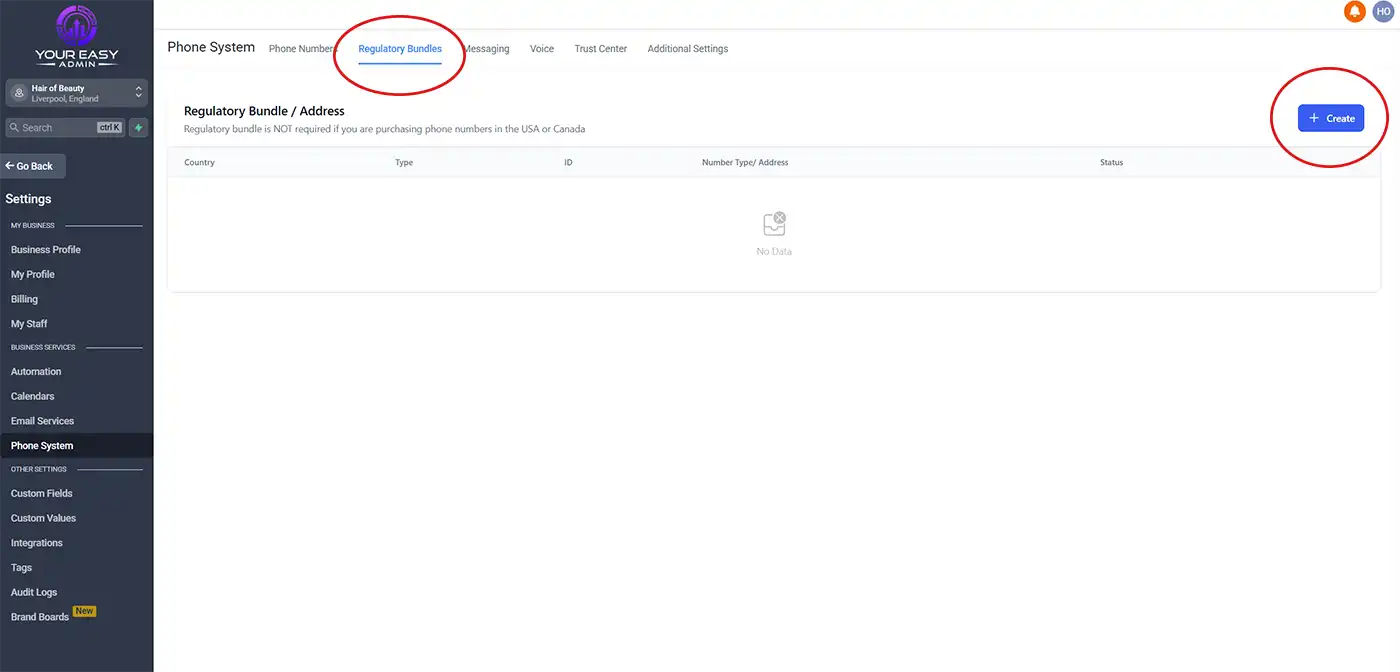
- From your dashboard, scroll down and click on Settings at the bottom of the menu.
- Select Phone System.
- At the top of the page, you’ll see Regulatory Bundles — click on this, then select Create.
- You’ll need to complete two bundles: the Address Bundle and the Regulatory Bundle.
Tip: Take your time entering the information accurately. Once completed, this is a one-time setup that ensures your mobile number is fully verified and ready for use.
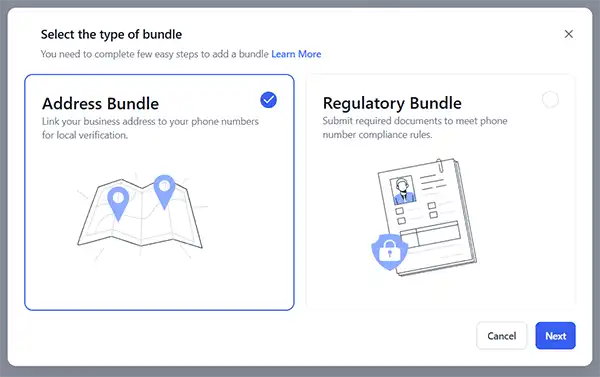
Tip: Take your time entering the information accurately. Once completed, this is a one-time setup that ensures your mobile number is fully verified and ready for use.
Step 2: Complete the Address Bundle
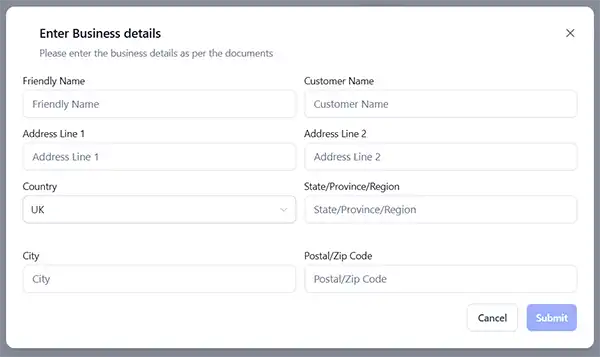
Creating the Address Bundle is simple. Just enter the required information as shown in the screenshot below and click Submit.
Tip: If “Address Line 2” is empty, you won’t be able to submit it. Simply copy the same address from Line 1 into Line 2.
Step 3: Complete the Regulatory Bundle
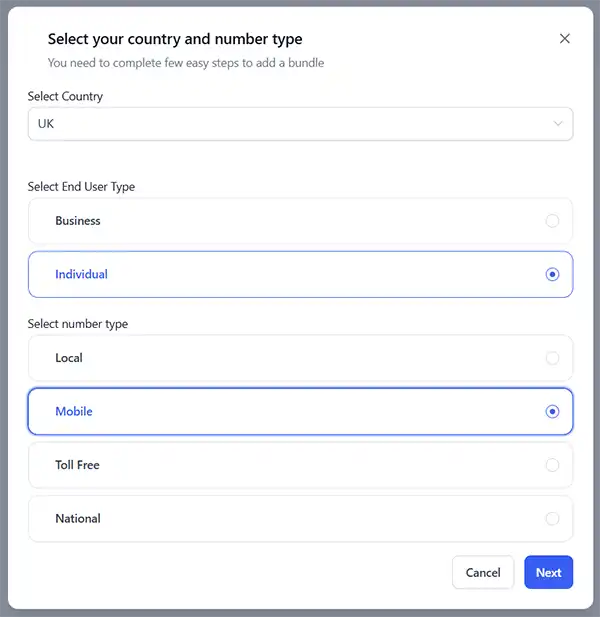
Select United Kingdom as your country.
If you are a sole trader or individual, sign up for an individual phone number.
If you are a company with a registered company number, sign up as a business.
Here’s an example using an individual setup:
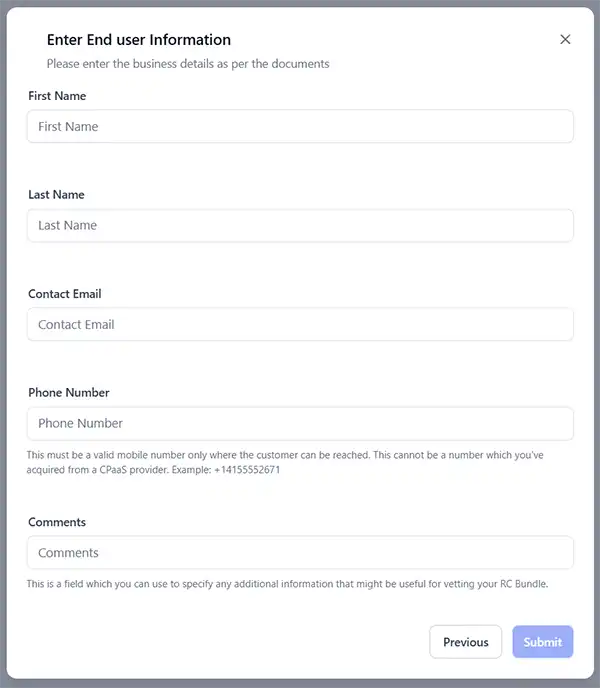
What to Enter:
- First Name, Last Name, and Contact Email – make sure these are accurate.
- Phone Number – include +44 in front of your number, otherwise it will not work.
- Comments – explain that you need the mobile number for your business, e.g., “I need this number for my hairdressing salon.”
Finally, you’ll be asked to upload your Proof of Identity and Proof of Address.
For Individuals you will be asked to upload both proof of identity and address. If you have signed up as a business, you will only need to enter proof of address because you will be asked to enter your company house business number too.
Once everything is submitted, it’s over to us. After your details are verified, we’ll get your mobile number set up and ready to use.
🛠️ Why You Need to Upload Proof of Identity & Proof of Address
When you request a dedicated mobile number for messaging, the phone providers require a quick verification process. This is known as the regulatory address check.
In short, here’s why it’s needed:
- To prove the number is being used by a real business or real person. This helps prevent spam, scams, and misuse of messaging services.
- To meet UK compliance rules. Mobile and messaging providers must follow regulations that ensure every number is linked to a verified user or business.
- To keep your messages safe and deliverable. Verified numbers are trusted more by networks, which helps prevent messages from being blocked or flagged.
- It only needs to be done once. After your proof of ID and proof of address are approved, your number becomes fully activated and ready to use for booking reminders, confirmations, and marketing messages.