

How to change your availability
Whether you work full-time, part-time or around another job, you can update your availability at any time. Clients will only be able to book during the times you have made available.
Step 1: Open your calendar settings
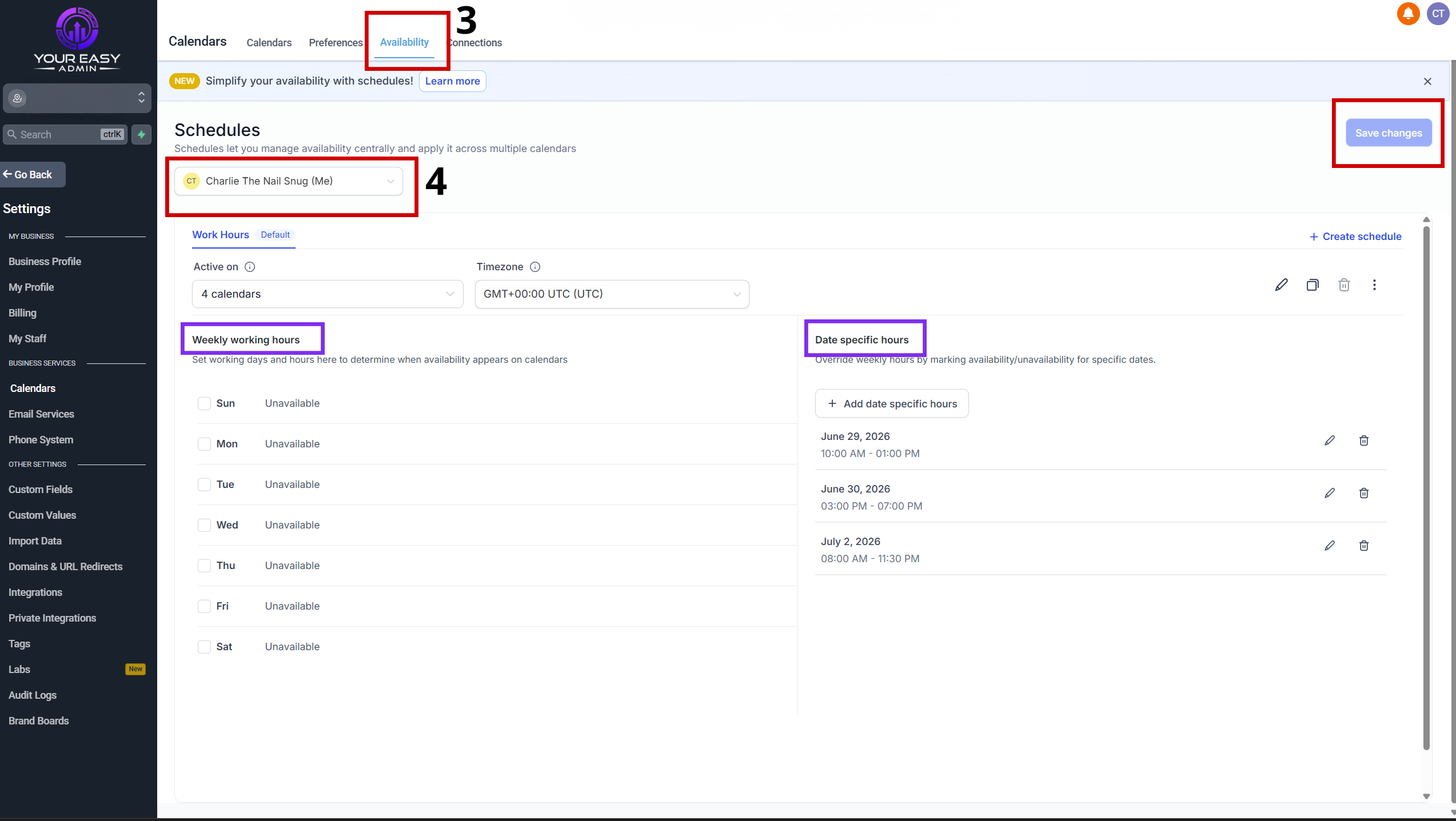
From your dashboard:
- Click Calendars from the menu on the left.
- Select Calendar Settings.

Click image to open larger
- Select availability in the top menu
- Make sure you have selected the correct staff member.
Step 2: Choose how to manage your availability
You have two ways to manage your availability, depending on how you work.
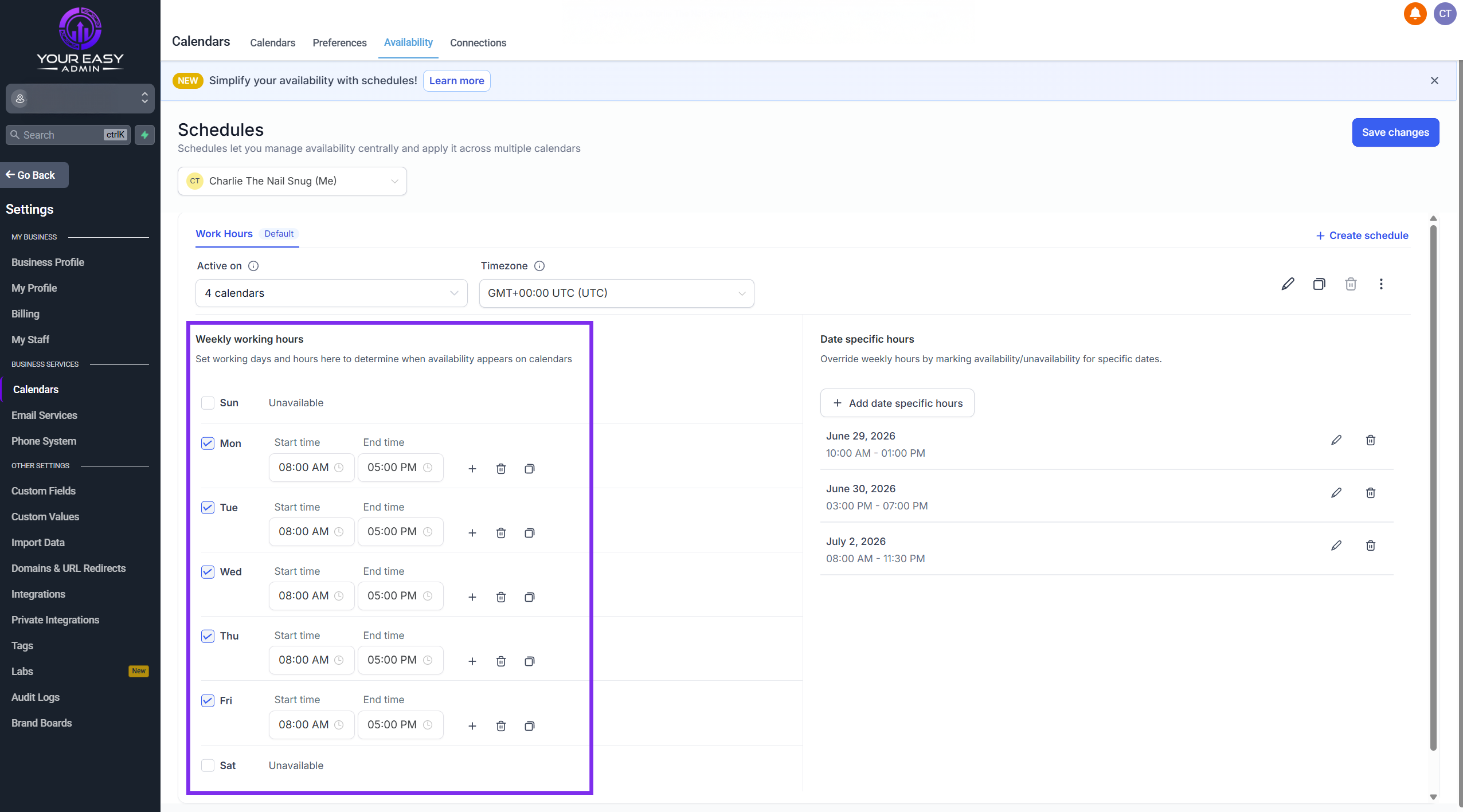
Weekly Working Hours
If you work the same days and times each week, you can set your regular working hours here.
Simply select the days you work and choose your available times.
Click image to open larger
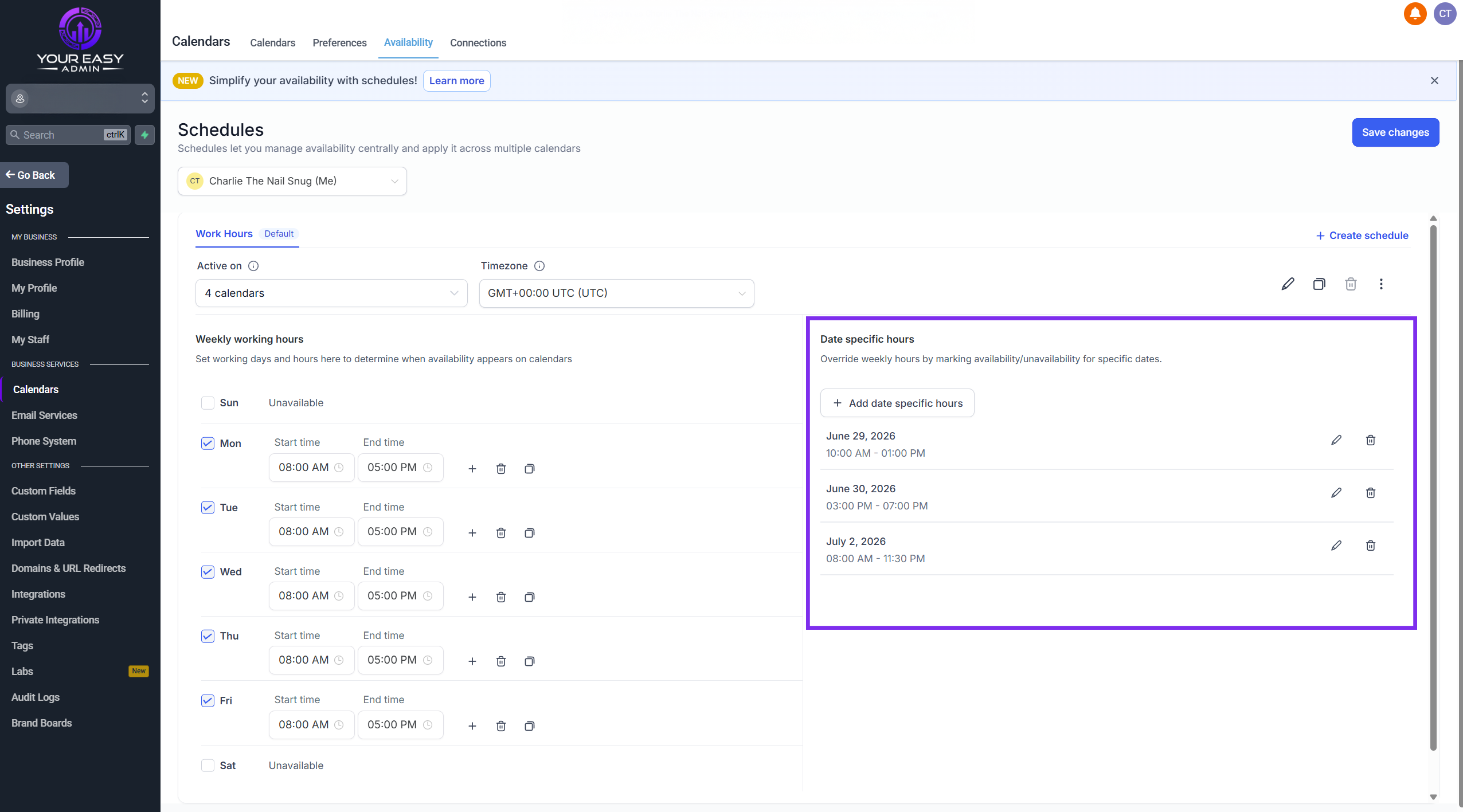
Date Specific Hours
If your working hours change each week, or you work around another job, this is usually the easiest option.
Click Add Date Specific Hours, then choose the dates and times you want to accept bookings.
Only the dates and times you add will be available for clients to book.
Click image to open larger
Step 3: Save your changes
Once you have finished updating your availability, save your changes.
Your booking calendar will now only allow clients to book during the times you have made available.
You can update your availability as often as you need, making it easy to work around changing shifts, holidays or other commitments.